How booknookd works
booknookd is your home for logging, rating and reviewing the books you read, keeping track of the ones you want to read next, and seeing what the people you follow are reading.
Find your next book
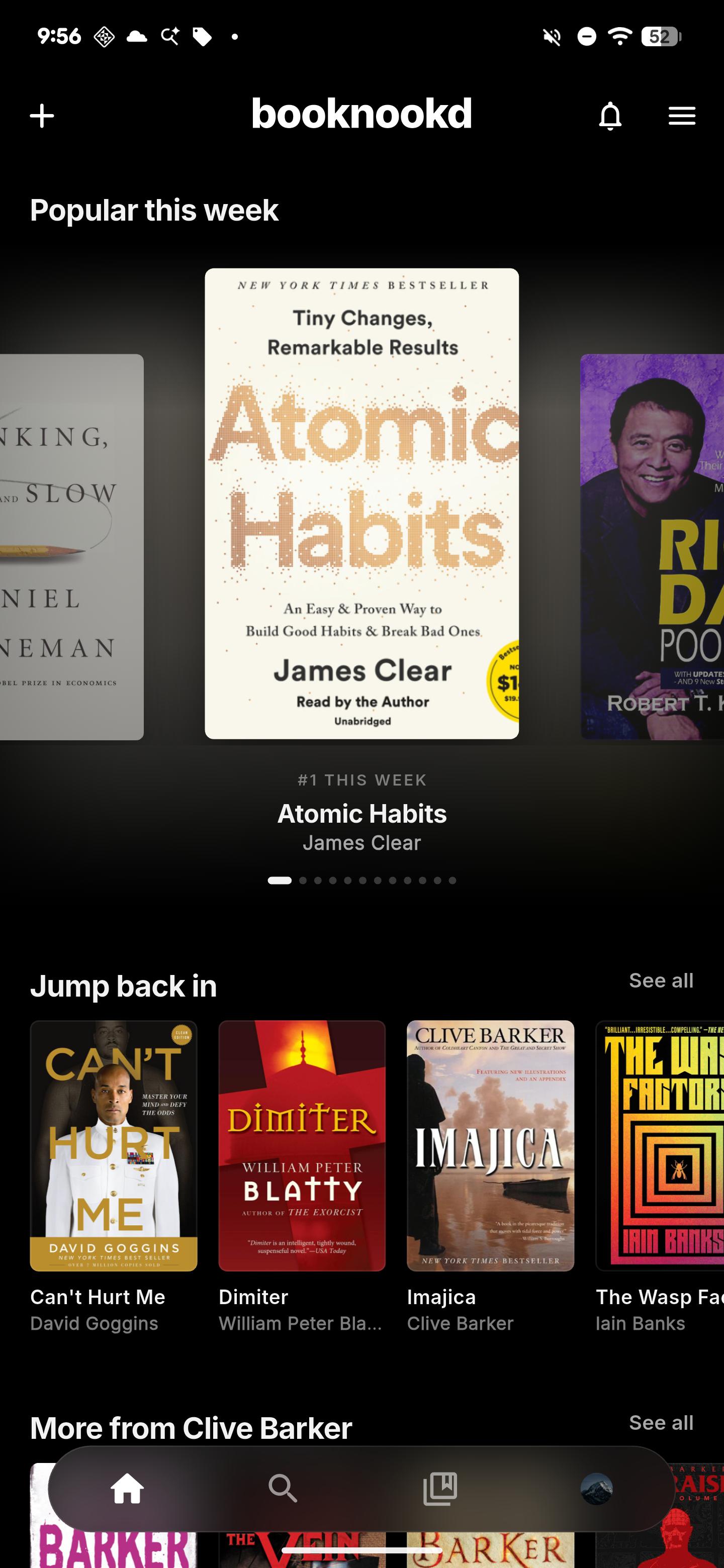
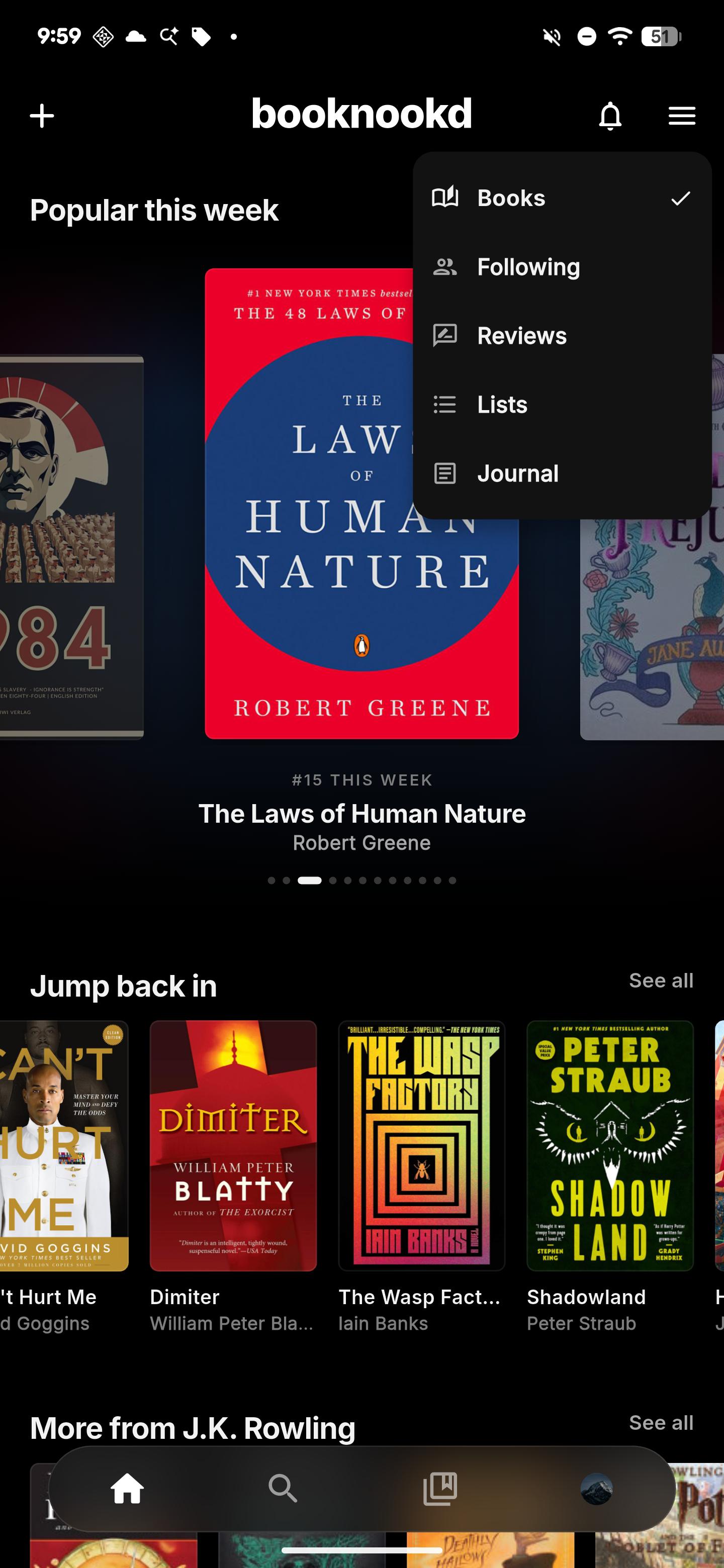
Popular this week shows what readers everywhere are picking up right now. Below it, Jump back in brings back books you've been reading, rating and saving, followed by more from the authors you read.
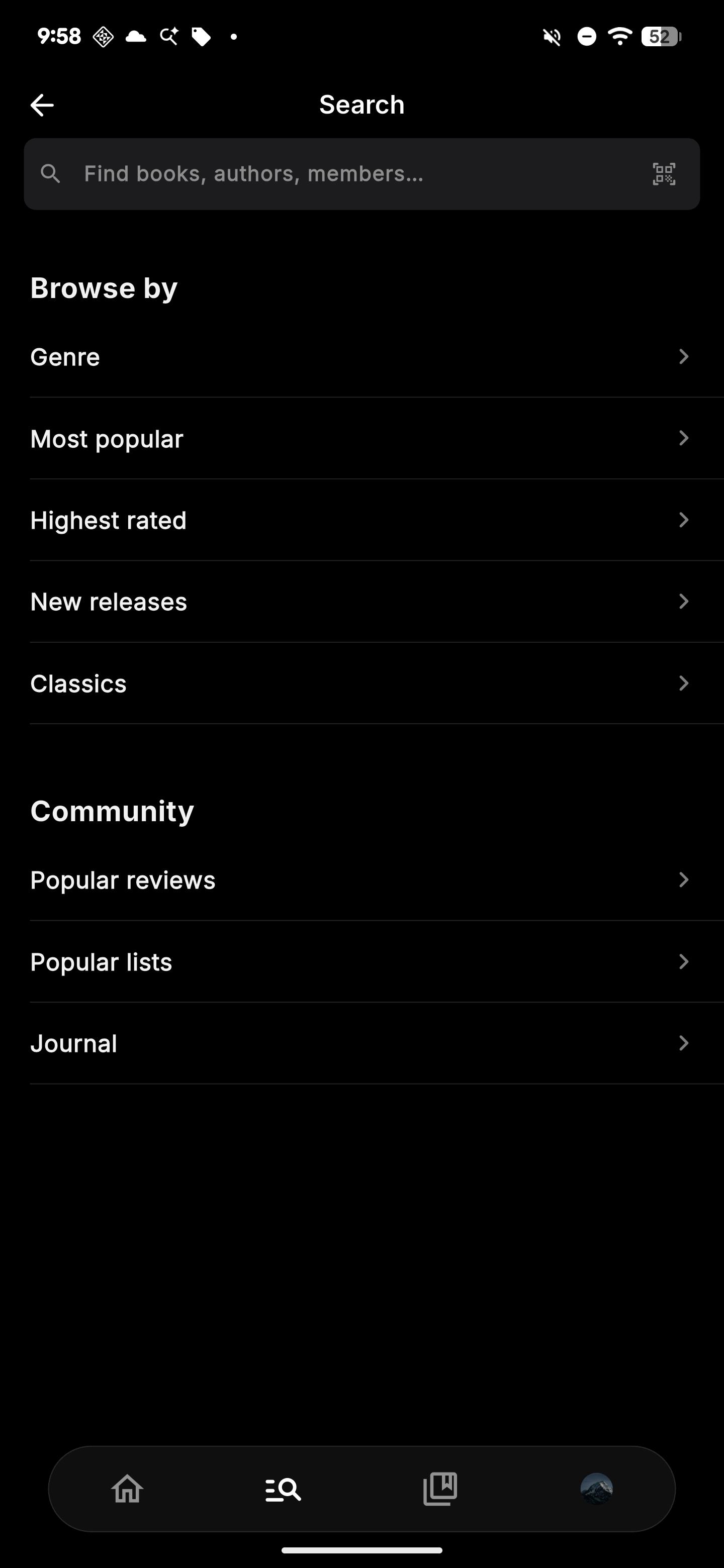
Search for any book, author or member, browse by genre, new releases or the highest rated, or scan the barcode on the back of a book you're holding.
Rate it, like it, save it
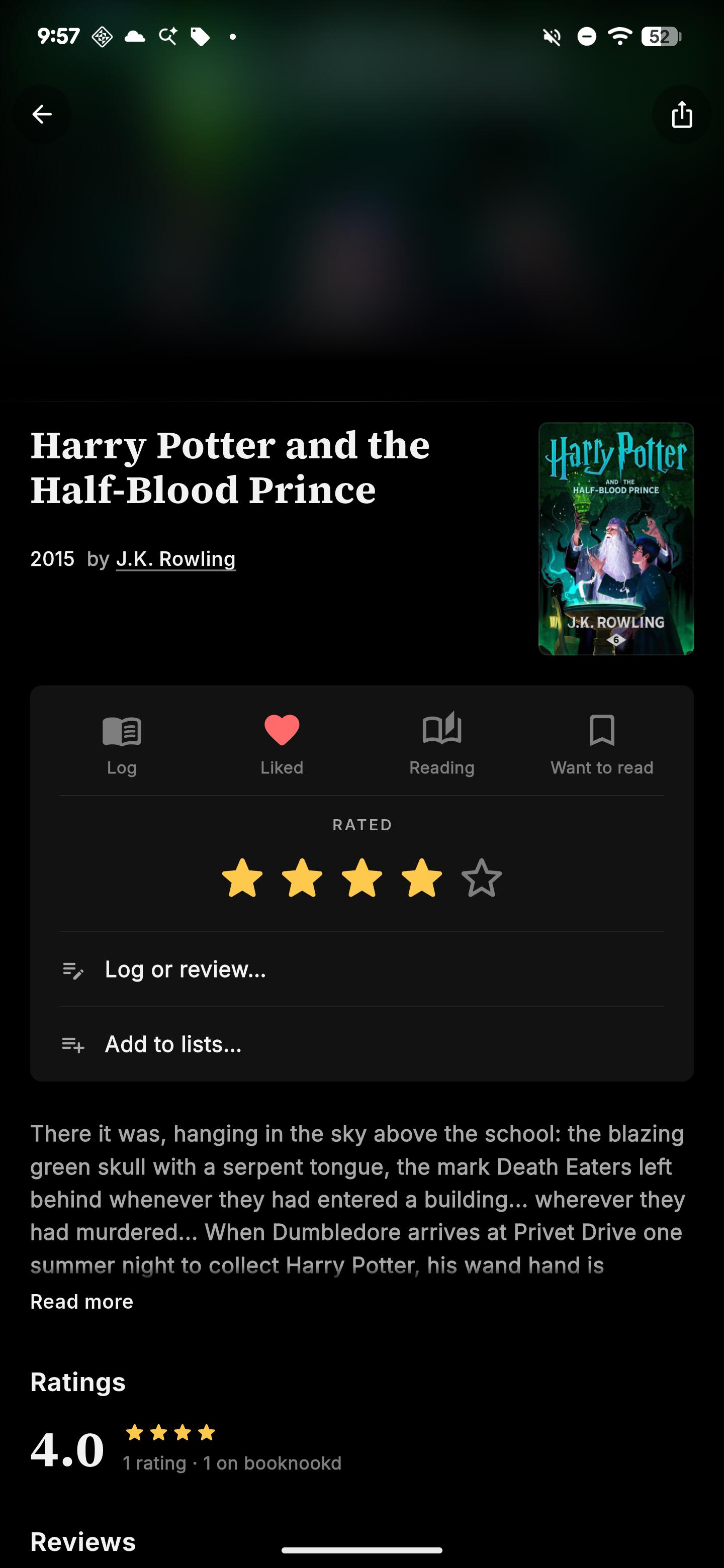
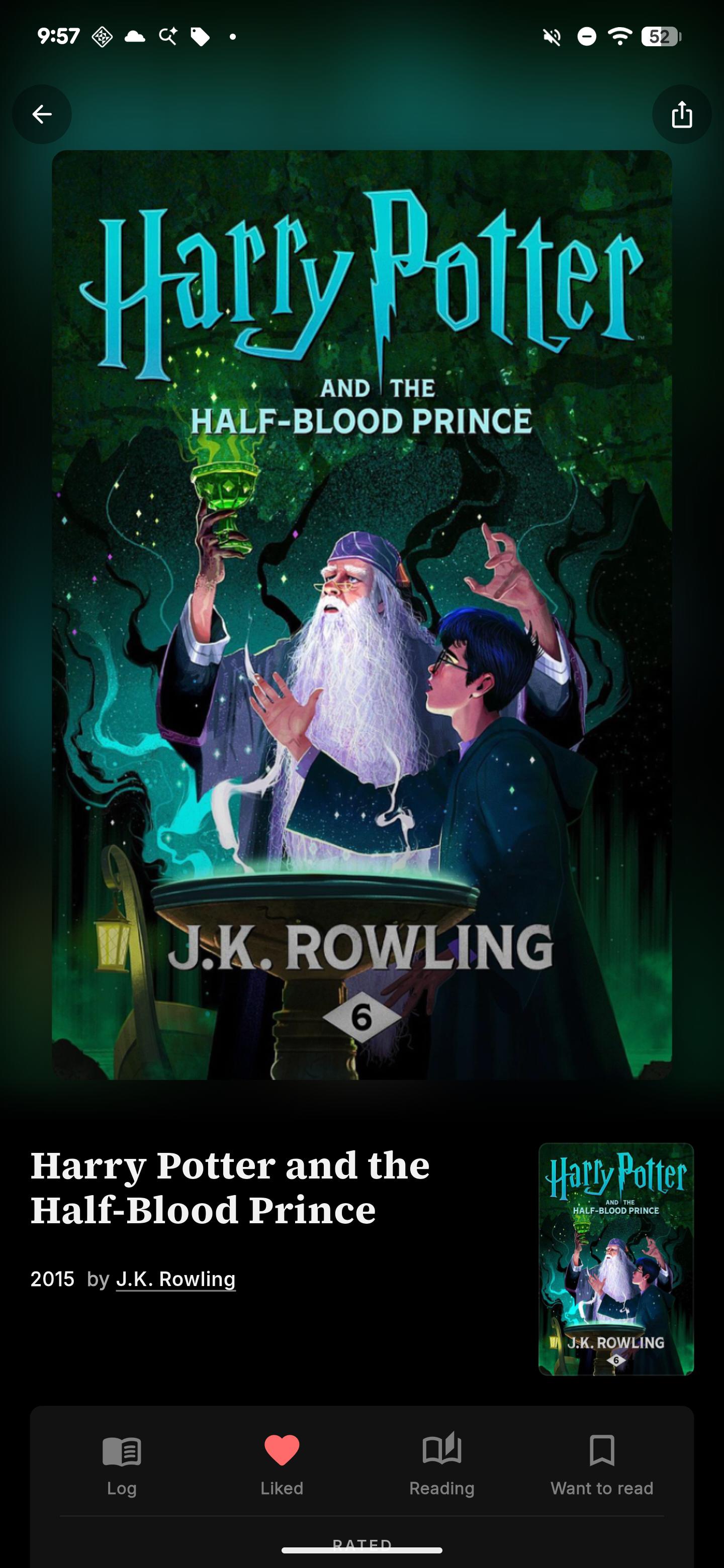
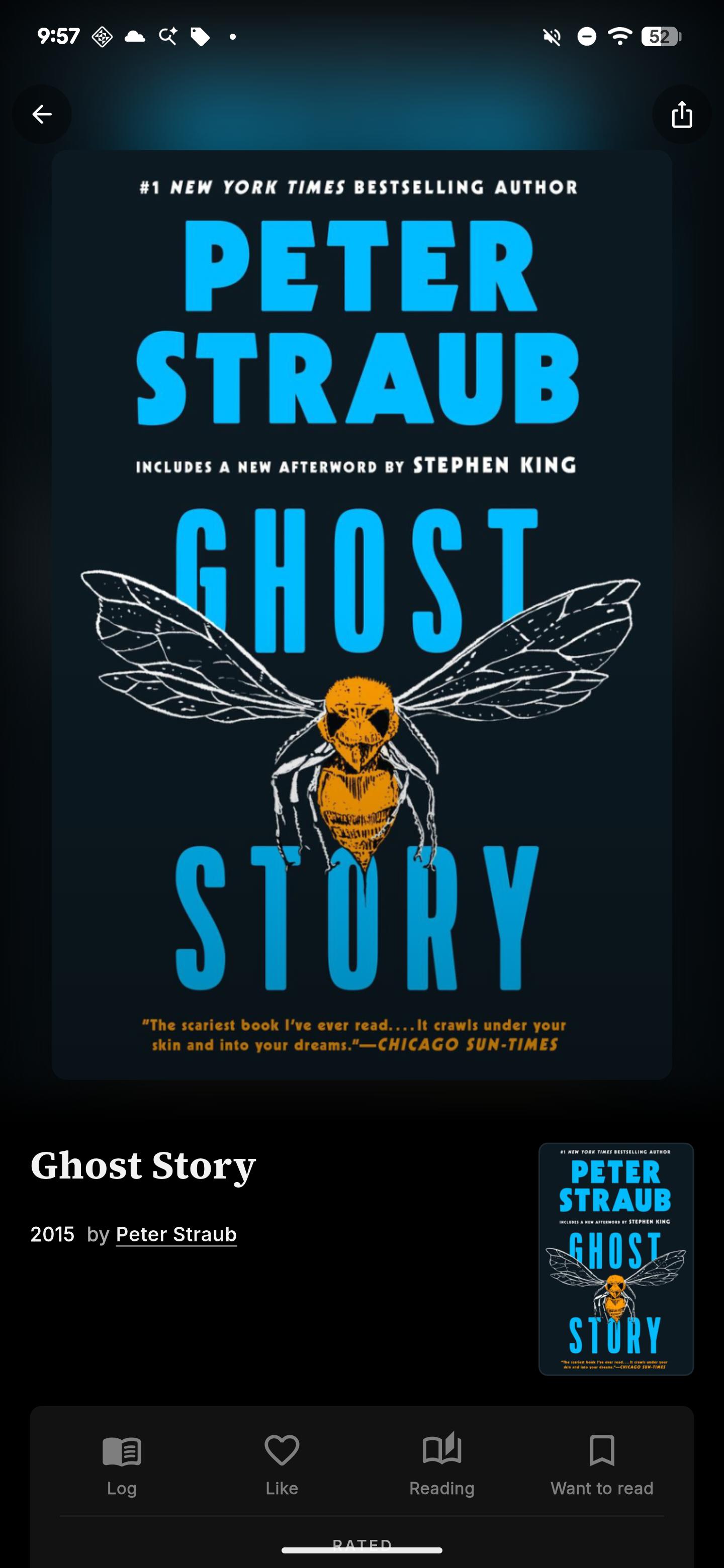
Every book has its own page. Rate it out of five stars (slide for half stars), tap the heart to like it, mark it as Reading, or save it to Want to read.
Underneath you'll find the book's description, its rating across booknookd and Google Books, and what other readers wrote about it. Tap your current rating to clear it.
Every cover, up close
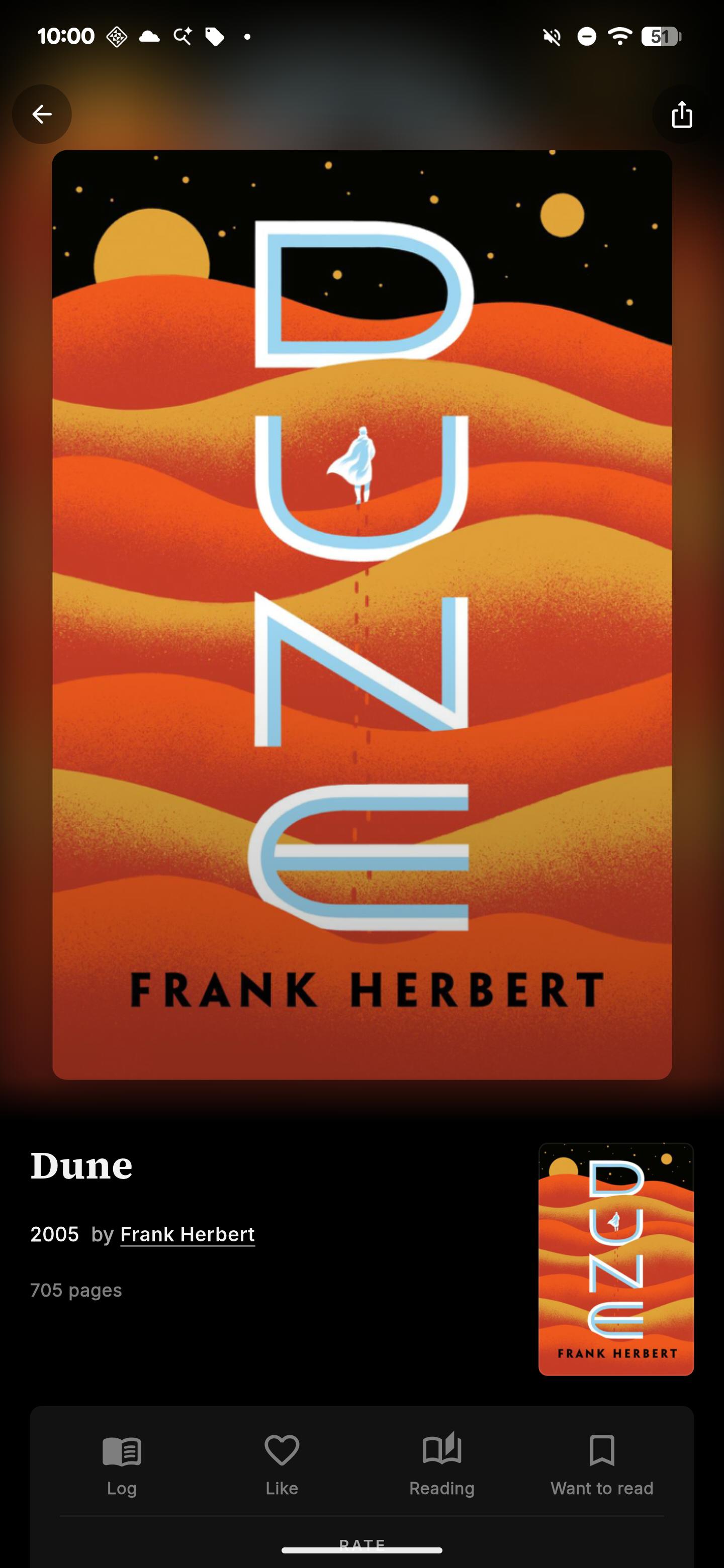
Pull down on any book page and the cover opens up to full size, sharp and in colour. Let go and it settles back. A good cover deserves a proper look.
Log what you read
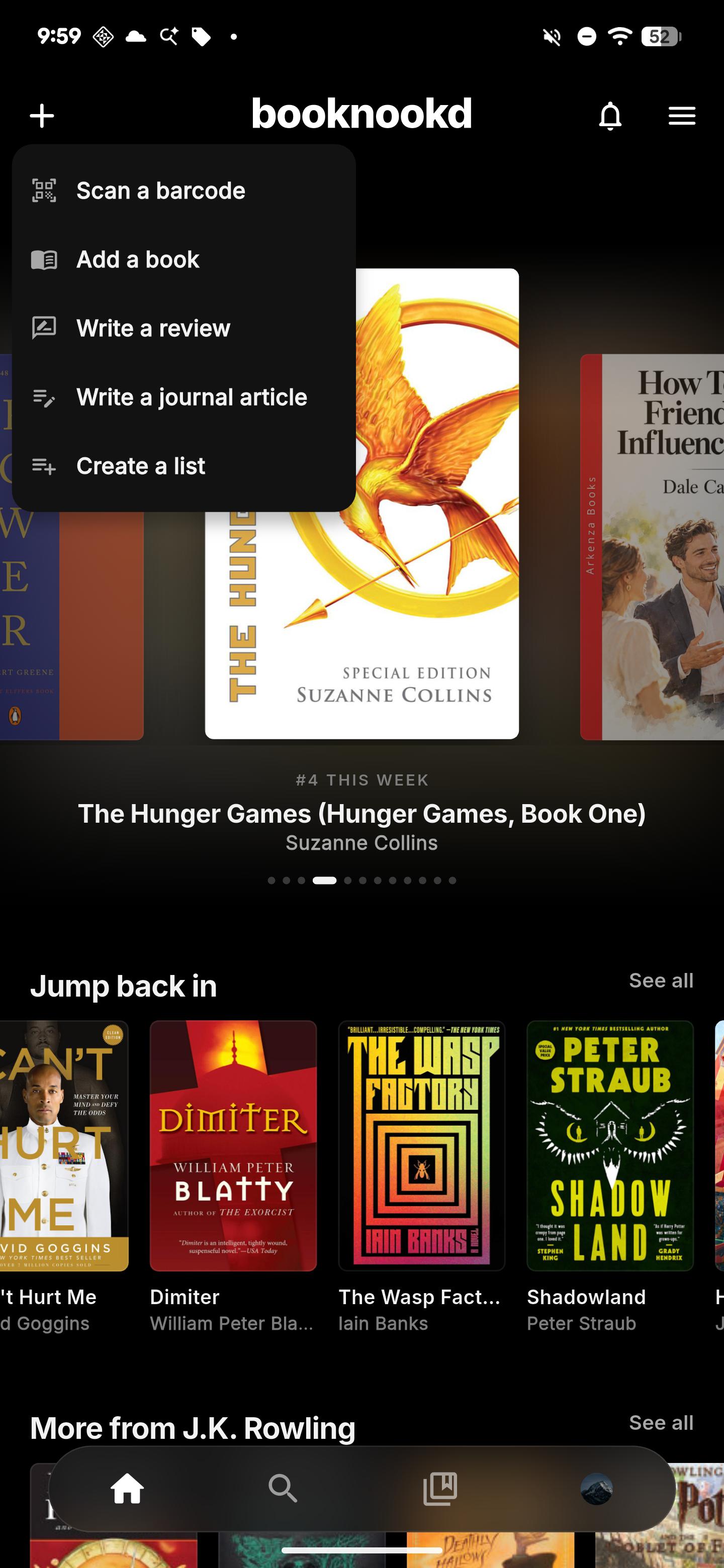
Tap + to scan a barcode, add a book, write a review, write a journal article or start a list.
Logging a book records the day you finished it, with your stars, a like, a review and your own tags. Mark it as a re-read, or as a book you didn't finish. Everything you log goes into your Diary, month by month.
Your profile
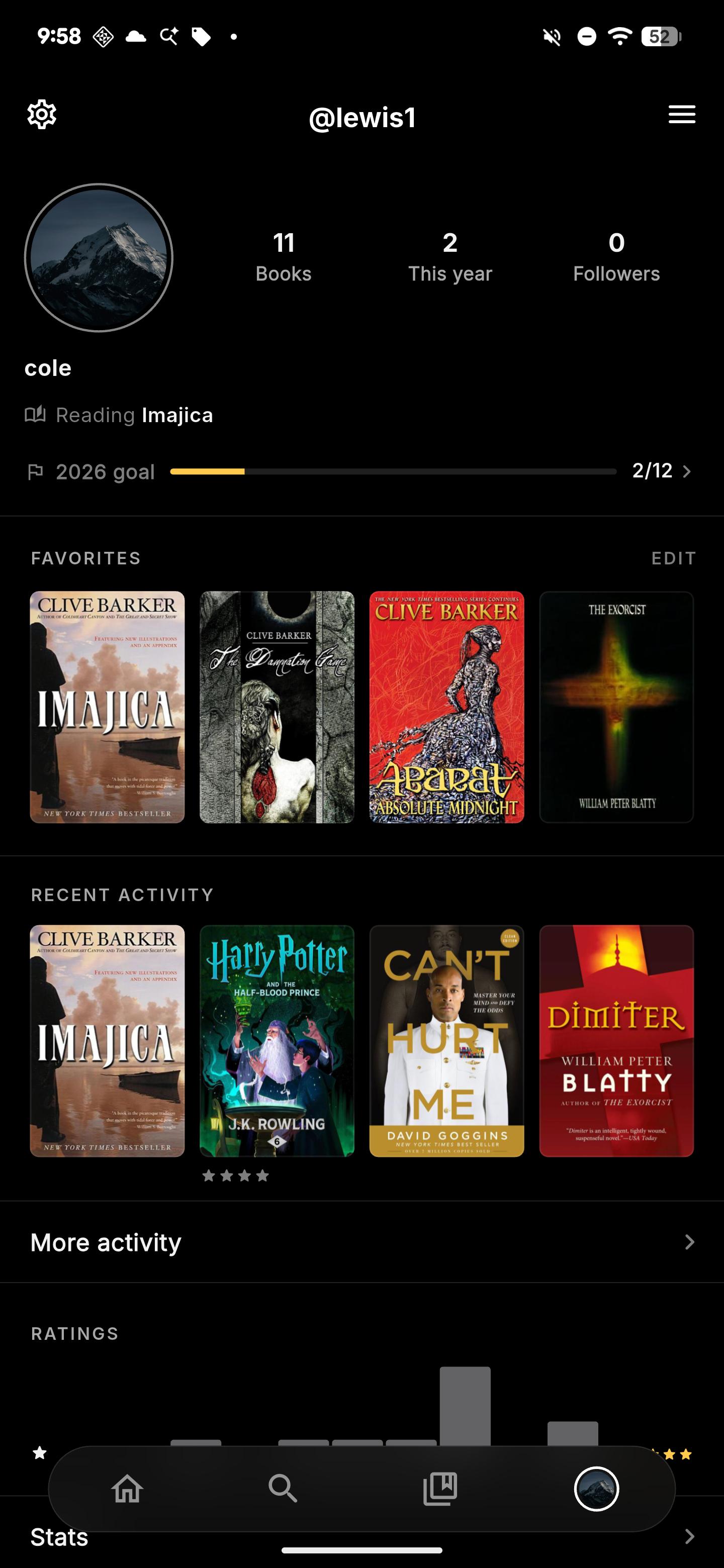
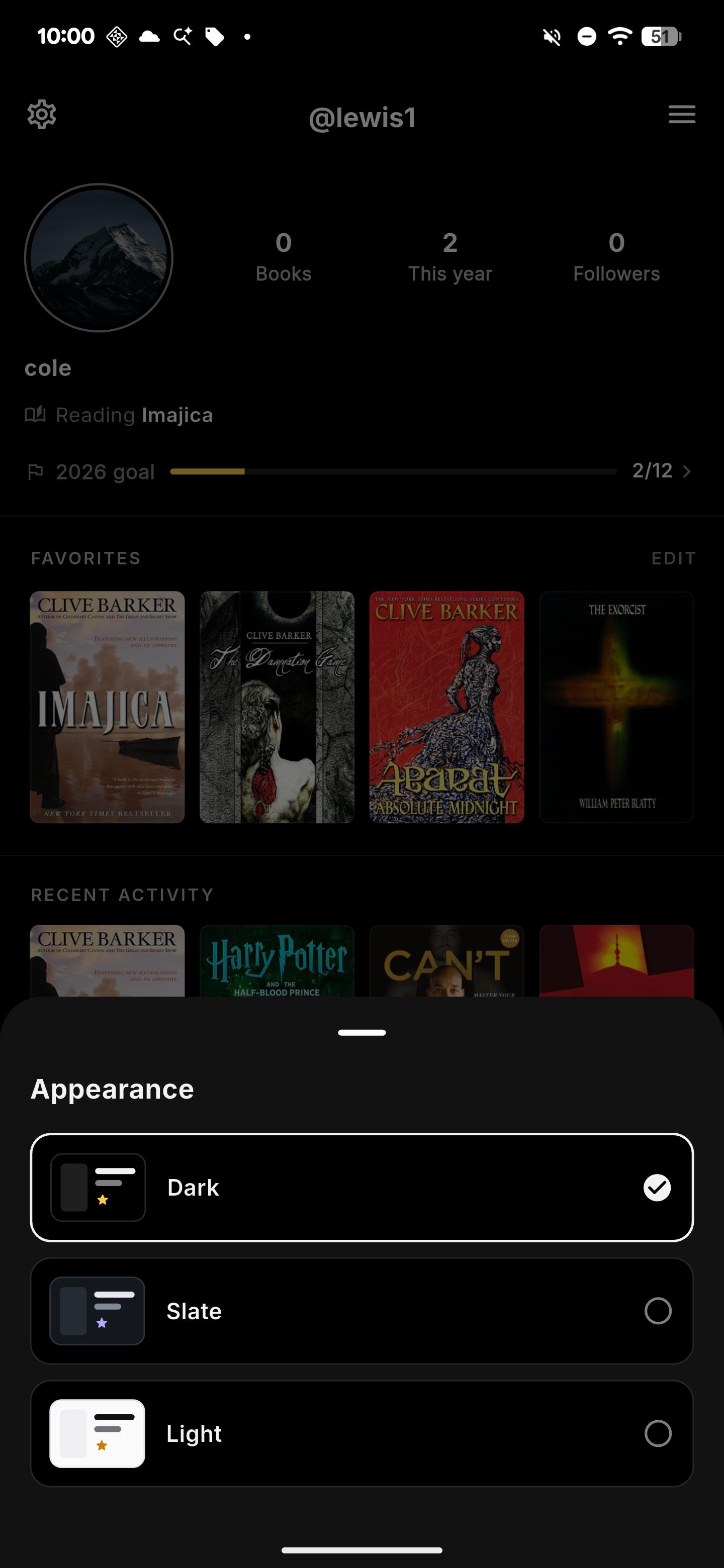
Your profile shows who you are as a reader: your four favourite books, what you've been reading lately, the book you're reading now, and your goal for the year.
From here you can open your diary, reviews, lists, likes, ratings and stats, or see who follows you.
Reviews, lists and friends
Switch Home between Books, Following, Reviews, Lists and Journal. Following shows what the people you follow have been reading; Reviews and Lists show the most-liked from this week.
Make lists on any theme, public or private. Like and comment on reviews, and on every book page see which of your friends read it and what they gave it. You'll get a notification when someone follows you, likes your review or comments on it.
Stats and your yearly goal
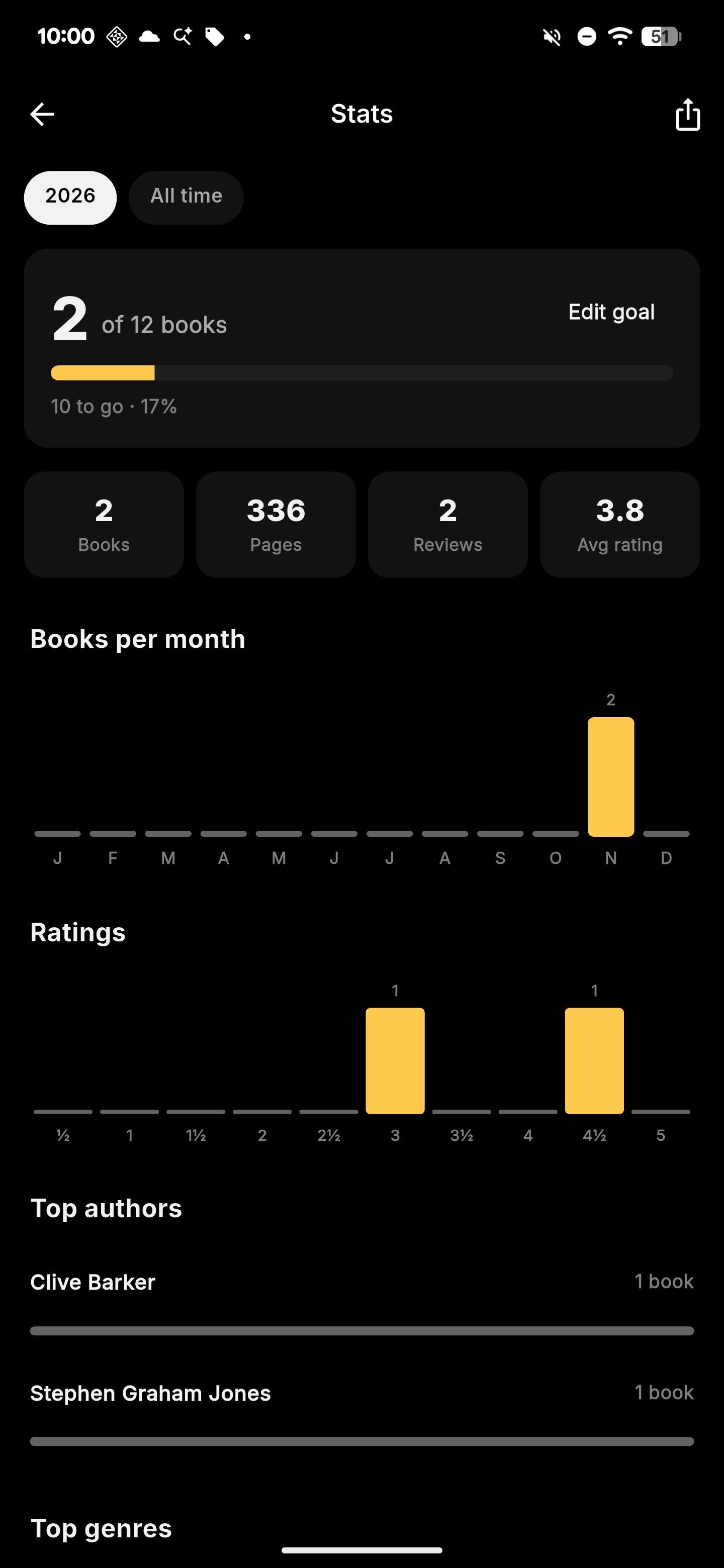
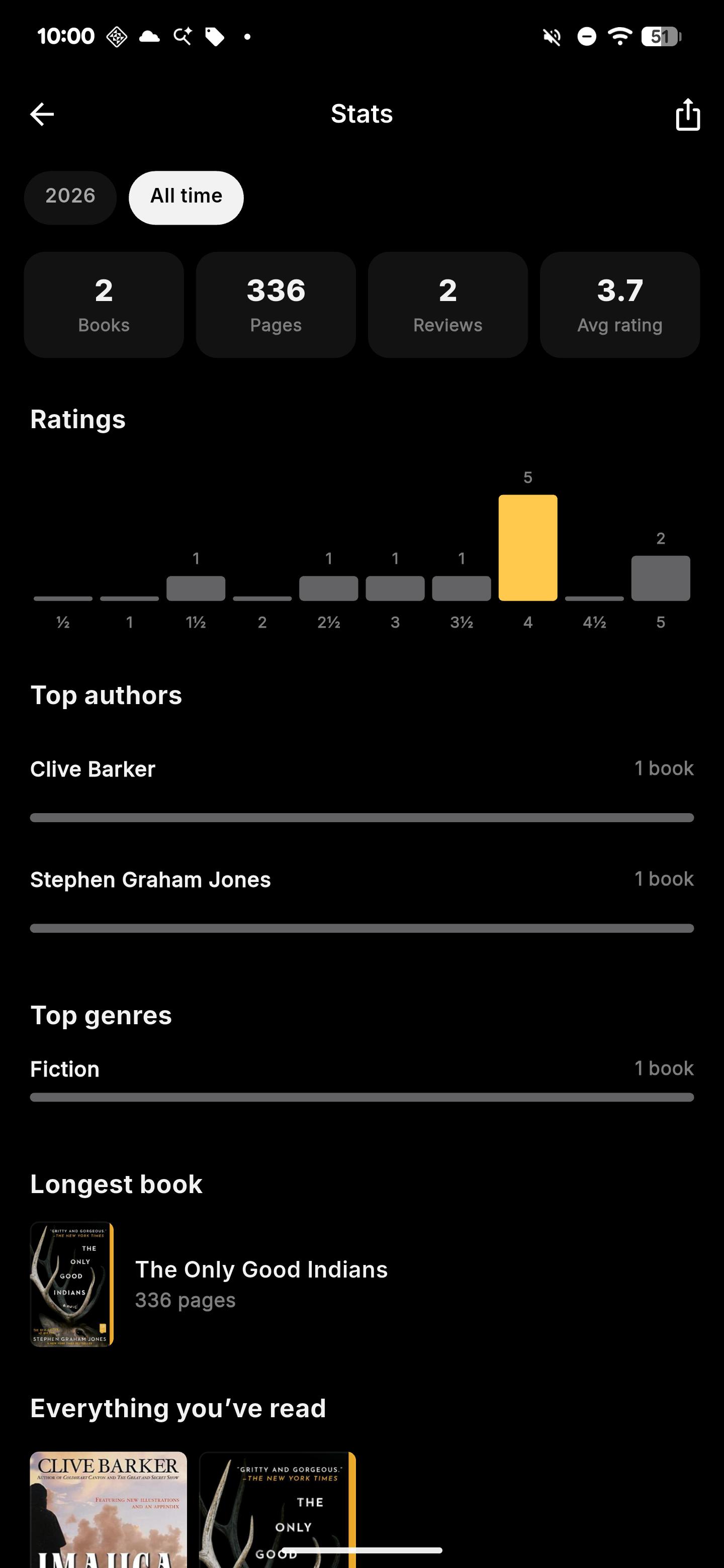
Set a goal for the year and watch it fill up. Your stats show books and pages read, reviews written, books per month, how you rate, your top authors and genres, and your longest book.
Look at any year or all time, and share your year in books when it's done.
Bring your books, take them anywhere
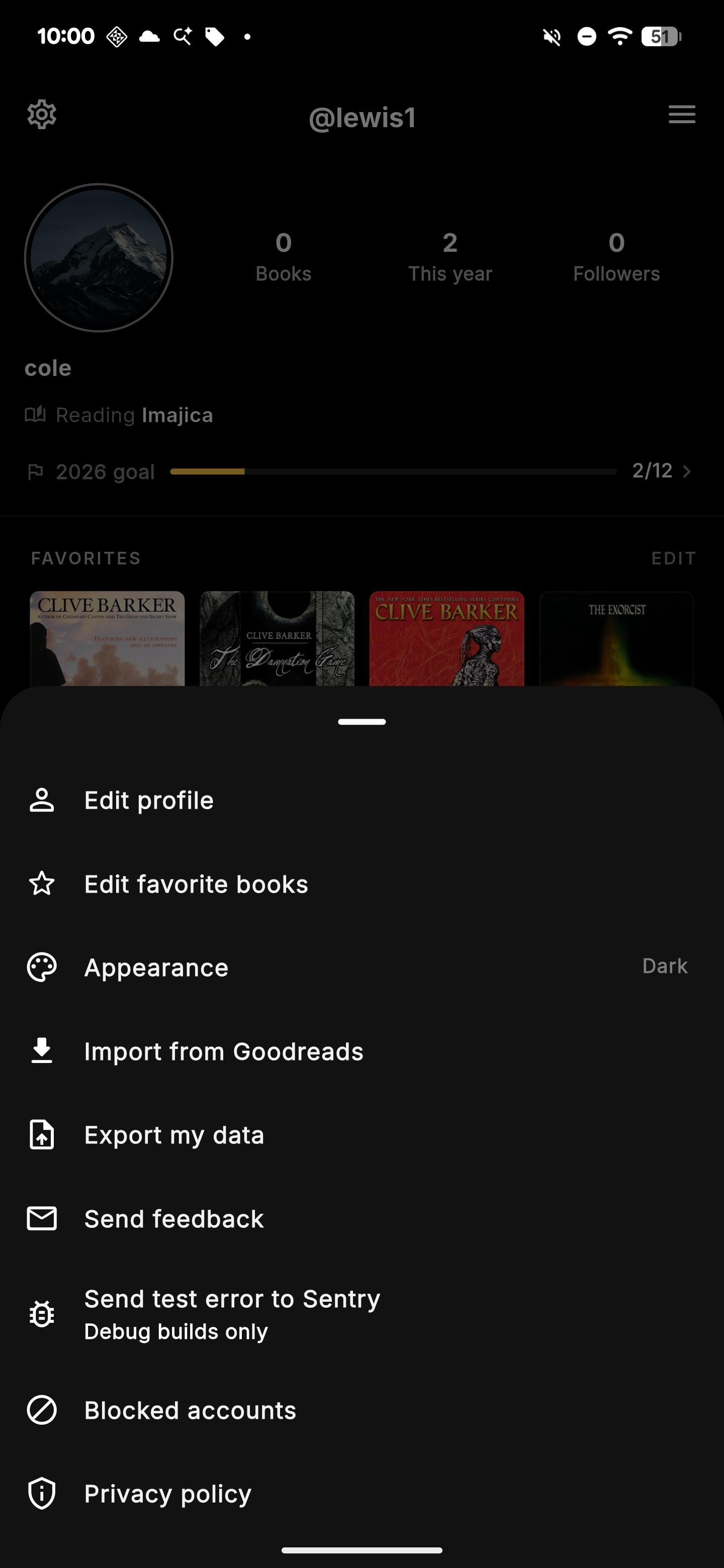
Coming from Goodreads? Export your library there, then choose Import from Goodreads in Settings. Your read books, ratings, reviews, dates, want-to-read and currently-reading shelves all come across, and your own shelves become tags.
It works the other way too: Export my data gives you your whole library as a spreadsheet, any time.
Make it yours
Choose true-black Dark, softer Slate or a crisp Light theme. booknookd works with large text and screen readers throughout.
Ready when you are
booknookd is in closed beta on Android. Send us the Google account on your phone and we'll send you an invitation.
Request a beta invitePrivacy policy: no ads, no tracking, and your data is yours to export or delete.